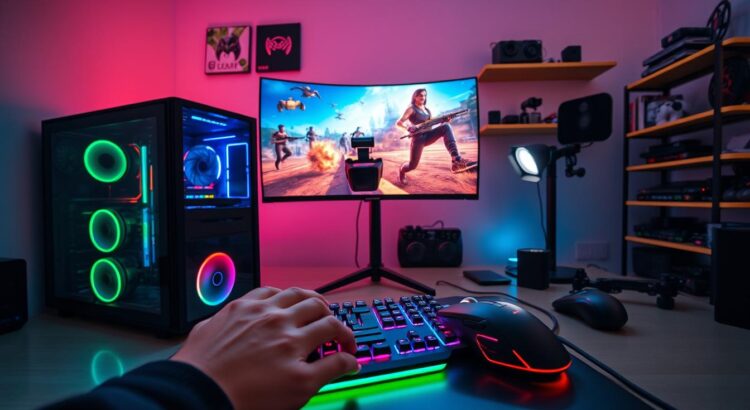
Gaming has changed a lot. Now, live streaming is a big part of it. Famous streamers like HasanAbi, Ninja, and XQC show us how. They share their games with people all over the world.
Experts say live streaming is very popular now. It’s not easy to become famous, but it’s a fun, rewarding hobby. To start, you need to know the basics of game streaming. You must know what tools and software you need for good streams.
Key Takeaways
- Understand the basics of game streaming and its growing popularity.
- Learn about the necessary equipment and software for high-quality streams.
- Discover tips for creating engaging gaming content.
- Explore the importance of community building in game streaming.
- Find out how to optimize your stream for better viewer experience.
Understanding the Basics of Game Streaming
Game streaming changes how we watch and play games. It’s a fast-growing trend. It lets gamers share their fun, connect with others, and even make money.
What is Game Streaming?
Game streaming means sharing video game clips live or recorded online. You can use sites like Twitch, YouTube, and Facebook Gaming. It lets gamers show their games, talk about them, and chat with viewers live.
Why People Stream Their Gameplay
People stream for many reasons. Some share games with friends or build a community. Others show off their skills, teach, or just entertain. You might stream to friends or to grow a big community.
The Growth of Gaming Content Creation
Gaming content creation is booming. More gamers are making a living from their hobby. This growth is thanks to:
- More streaming sites available
- Better internet and streaming tools
- More people wanting gaming content
So, streaming games is now a real career path. Learning about game streaming can help you start your own channel.
Essential Equipment for Quality Streams
Streaming your gameplay online needs more than just fast internet. You need quality equipment. A strong PC is key, as recent insights show.
Computer Requirements and Specifications
A good computer is the heart of any stream. There are important parts to think about.
CPU and GPU Considerations
The CPU and GPU are vital for games and streaming. A CPU with 4 cores is good. A GPU like the NVIDIA GeForce GTX 1660 boosts performance.
RAM and Storage Needs
Enough RAM lets your system do many things at once. Get at least 16GB RAM. A Solid-State Drive (SSD) is better than a Hard Disk Drive (HDD) for speed.
Microphones and Audio Setup
Good audio is as important as video. A quality microphone improves your stream’s sound.
Budget vs. Professional Options
For less money, the Blue Yeti USB microphone is a great choice. But, for better sound, the Shure SM7B is worth the cost.
Webcams and Video Quality
A good webcam is key for talking to your viewers. Look for one that does 1080p at 60fps. The Logitech C920 and Razer Kiyo are good choices.
Lighting Considerations
Good lighting makes your stream look better. Natural light is best. But, if it’s dark, get a lighting kit. Softbox or ring lights reduce shadows and make you look better on camera.
Investing in the right gear makes your streams better. It makes them more fun for your viewers. Whether you’re starting or upgrading, focus on these areas for a pro-level stream.
Choosing the Right Streaming Software
Finding the best streaming software is key for a great gaming stream. There are many options, each with special features. It’s important to know what each offers.
OBS Studio Overview
OBS Studio is a top choice for gamers. It’s free and easy to use. It has cool features like mixing video and audio and lots of plugins. It’s loved for its ability to be customized.
Streamlabs OBS Features
Streamlabs OBS is built on OBS Studio. It has extra features like donation tracking and chatbots. It’s easy to use and still has advanced features.
XSplit and Other Alternatives
XSplit is known for being easy to use and high quality. It has features like scene composition and chroma keying. Other options like Streamlabs OBS and XSplit have their own strengths. For example, XSplit is great for beginners because it’s easy to use.
Software Configuration Basics
Configuring your software is important for a good stream. You need to set up video and audio settings. Doing this right makes your stream stable and high quality.
Choosing the right software and setting it up well can improve your stream. It helps you connect better with your audience.
How to Stream Your Gameplay Online: Step-by-Step Guide
Streaming games online is fun and easy. It’s not as hard as you might think. This guide will help you set up your stream. You’ll learn how to create your account, use streaming software, and test your stream.
Setting Up Your Streaming Account
To start, create an account on a platform like Twitch or YouTube Gaming. Choose a username that is memorable and relevant to your brand. Make sure your profile is complete with a picture, bio, and other details.
Here’s how to set up your account:
- Create an account on your chosen platform.
- Verify your email address.
- Complete your profile with relevant information.
- Set up your channel with a compelling title and description.
Configuring Your Streaming Software
After setting up your account, you need to use streaming software. Popular choices are OBS Studio, Streamlabs OBS, and XSplit. Download and install the software of your choice, then follow the setup wizard to configure your settings.
Setting Up Video Sources
To capture your gameplay, you need to set up video sources. This involves:
- Adding a game capture source.
- Configuring the capture settings for your specific game.
- Adjusting the video settings for optimal quality.
Configuring Audio Sources
Good audio quality is key for a great stream. You’ll need to:
- Add an audio source for your microphone.
- Configure the audio settings to optimize your voice quality.
- Consider adding additional audio sources, such as game audio or music.
Creating Scenes and Sources
Scenes and sources make your stream look professional. Create multiple scenes for different activities, like gameplay or breaks. Customize your sources to include your webcam, game capture, and overlays.
| Scene | Description | Sources |
|---|---|---|
| Gameplay | Main gameplay scene | Game capture, webcam, overlays |
| Break | Scene for when you’re taking a break | Webcam, static image, overlays |
| Interactive | Scene for interactive sessions with viewers | Webcam, game capture, chat overlay |
Testing Your Stream Before Going Live
Before going live, test your stream. Check your:
- Video quality.
- Audio quality.
- Stream stability.
- Overlays and alerts.
“The key to a successful stream is preparation and testing. Make sure to check all your equipment and software before going live.”
Selecting the Best Streaming Platform
To stream your gameplay well, you must know the different platforms and what they need. The platform you pick can really change how you stream and connect with your viewers. Many popular sites are for gamers, each with special features and a community.
Twitch Features and Community
Twitch is a top choice for live gaming. It has a big, lively community of gamers and streamers. Twitch lets you customize your streams, chat with viewers, and make money. Its chat is very interactive, letting streamers and viewers talk in real time.
YouTube Gaming Advantages
YouTube Gaming is great for streamers, thanks to YouTube’s huge user base. It’s good for both live and recorded games. YouTube Gaming also works well with YouTube, making it easy to watch videos after they’re live.
Facebook Gaming Overview
Facebook Gaming is becoming a big name in game streaming. It has live streams, gaming groups, and fan subscriptions. Facebook’s big social network makes it easy to share and find games, attracting more viewers.
Platform-Specific Requirements
Every platform has its own rules for stream quality, content, and making money. Knowing these rules is key to a good stream. For example, Twitch is strict about content, while YouTube Gaming is more flexible but has rules for making money.
By looking at these details, you can pick the best platform for you. This ensures your stream is both successful and fun for your viewers.
Optimizing Stream Settings for Performance
Getting the right mix of quality and performance is key for a great gaming stream. To stream well, you need to tweak your settings. This means making important changes to make your stream look good and run smoothly.
Bitrate and Resolution Settings
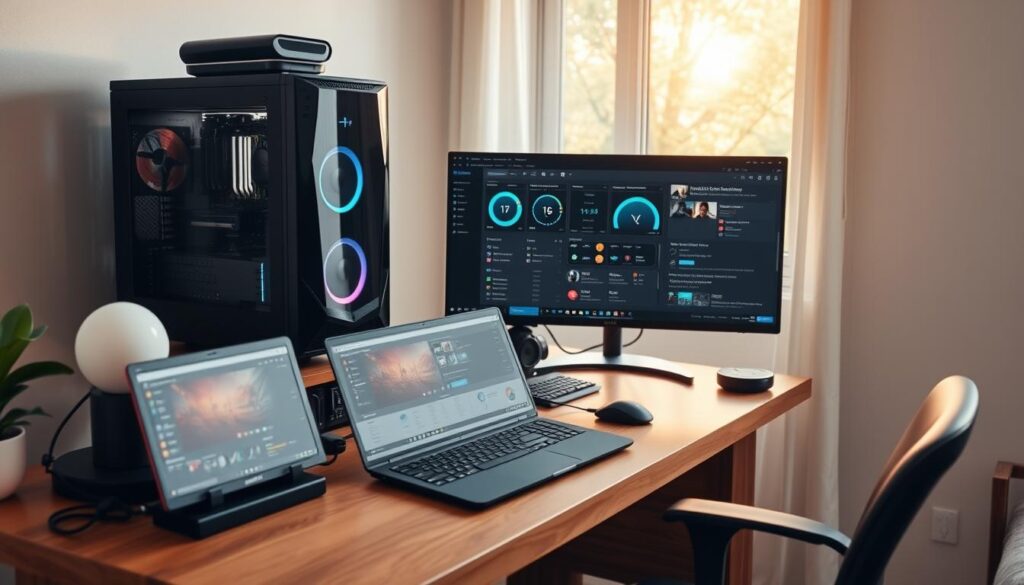
Bitrate and resolution are key for stream quality. A higher bitrate and resolution make your stream better, but they use more internet and hardware. For example, a 4500 kbps bitrate is good for 1080p at 60 FPS.
But, the best bitrate depends on your game and hardware. Try different settings to find the perfect mix for your stream.
Frame Rate Considerations
The frame rate is also very important. A higher frame rate, like 60 FPS, makes games look smoother. But, it needs more powerful hardware.
Think about your hardware and the games you stream when choosing a frame rate.
Balancing Quality and Performance
Finding the right balance between quality and performance is key. This means making choices to keep your stream looking good without using too much hardware or internet. For example, you might stream at 1080p at 30 FPS if your hardware can’t handle 60 FPS.
Watch your stream’s performance and adjust settings as needed to get this balance right.
Internet Connection Requirements
A fast and stable internet connection is essential for streaming. The upload speed needed depends on your stream’s bitrate. For 1080p at 60 FPS, you need at least 5 Mbps upload speed.
Make sure your internet plan can handle this to avoid lag and other problems.
By adjusting your stream settings and thinking about your hardware and internet, you can make your stream better. This will improve the experience for your viewers.
Creating Engaging Stream Overlays and Alerts
Stream overlays and alerts make your stream look cool. Engaging with viewers during live gaming streams helps build a loyal community.
Designing Your Stream’s Visual Identity
Your stream’s look is what viewers notice first. It should show your brand and be the same everywhere. OBS Studio lets you add lots of details or keep it simple, perfect for customizing your stream overlays.
Essential Overlay Elements
Important parts include your logo, stream title, and the game you’re playing. They should be clear and easy to read.
Setting Up Alerts for Viewer Interactions
Alerts for things like new followers or donations boost viewer interest. Setting these up in your streaming software is easy, depending on the platform.
Resources for Custom Graphics
For custom graphics, try Canva or Adobe Creative Cloud. They have lots of templates and tools to make unique overlays. This fits your gaming content creation guide perfectly.
By working on these areas, you can make your stream more fun and interactive. This helps you connect better with your viewers.
Building and Monetizing Your Streaming Channel
To make your streaming hobby a career, focus on building and making money from your channel. Use several key strategies to grow your audience and earn money.
Interaction Techniques During Streams
It’s important to talk to your viewers to build a loyal community. Answer comments, thank for donations, and let viewers join in your games. You can ask for their game choices or talk about their favorite moments.
Effective interaction techniques include:
- Live Q&A sessions
- Chat games and contests
- Personalized shoutouts
Developing a Consistent Schedule
Being regular is key to keeping viewers interested. A regular schedule helps your audience know when to watch. A successful streamer said, “consistency is key. Viewers need to see you often and come back regularly if they like you.”
“Consistency is key. Viewers need to be able to see you often, and come back to you on a somewhat regular schedule if they like you.”
Promoting Your Stream on Social Media
Use platforms like Twitter, Instagram, and Facebook to promote your stream. Share your best moments, behind-the-scenes stuff, and talk to your followers. This will help more people find your channel.
Monetization Options
There are many ways to make money from your stream. Knowing these options can help you earn in different ways.
Subscriptions and Donations
Subscriptions give you a steady income. Donations let viewers show their appreciation. Encourage your viewers to support you this way.
Sponsorships and Affiliate Programs
Working with gaming brands can be very profitable. Sponsorships and affiliate programs let you earn by promoting products or services during your streams.
| Monetization Method | Description | Potential Earnings |
|---|---|---|
| Subscriptions | Monthly or yearly subscriptions for exclusive content | $5-$25 per subscriber |
| Donations | One-time donations during live streams | $1-$100 or more per donation |
| Sponsorships | Partnerships with brands for product placements | $100-$1000 or more per sponsorship |
By using these strategies, you can build and make money from your streaming channel. This way, you can turn your passion into a lasting career.
Conclusion: Taking Your Gaming Streams to the Next Level
Streaming your gameplay online is fun. It lets you share your love for games with people all over the world. By learning the basics, getting the right gear, and picking good software, you can make streams that grab people’s attention.
To make your streams even better, work on making them run smoothly. Add cool overlays and alerts. Also, talk to your viewers often and stream regularly. These tips will help you get better at streaming and attract more viewers.
Starting to stream is just the first step. As you get better, you’ll find new ways to keep your viewers interested. With hard work and the right tools, you can make a name for yourself in game streaming and more.